A live interpreter for any 8x8 call
Add a live AI interpreter to any 8x8 call from a Chrome side panel. Pick two languages, add the TalkTool number with Add Call and Merge in 8x8 Work, and translate both sides in real time — with a live transcript on screen. No integration, no admin setup.
How do I add a live interpreter to an 8x8 call?
Use the TalkTool Live Call Interpreter Chrome extension. Open the side panel, pick the two languages, and TalkTool gives you a number to add to your active 8x8 Work call. Tap Add Call, dial the number, then Merge — an AI interpreter joins as a third leg and translates both sides in real time, with a live transcript on screen. It uses 8x8's own Add Call and Merge, so there's no integration to install and nothing for the person you're calling to download.
Key Facts
- Works on the 8x8 Work app — desktop & mobile
- Uses 8x8's own Add Call + Merge
- Live two-way interpretation in 60+ languages
- ~1–2 second real-time translation
- Live, side-by-side transcript on screen
- Nothing for the person you're calling to install
An 8x8 interpreter that just rides along
Live interpretation built on the Add Call and Merge you already use in 8x8 Work.
Rides along with 8x8 Work
No admin setup, no integration to enable. The interpreter joins over the phone using Add Call and Merge — the same controls you already use in 8x8 Work.
60+ languages
Pick the language you speak and the one your caller speaks — Spanish, Mandarin, Vietnamese, Arabic, Tagalog, and 55+ more. Switch any time.
In your Chrome side panel
The TalkTool panel sits next to the 8x8 Work app in your browser. Open it, pick your languages, and you're ready — no app to switch to.
Type-to-speak
When a name or place is hard to catch, type it and TalkTool speaks a clean translation to your caller — so the important details land.
Live transcript
Both languages on screen as you talk, saved to your TalkTool dashboard with an AI summary when the call ends.
Works on any 8x8 plan
8x8 Work, desktop or mobile — if your 8x8 app can add a line to an active call, it works. No special tier required.
How to add an interpreter to an 8x8 call
- 1
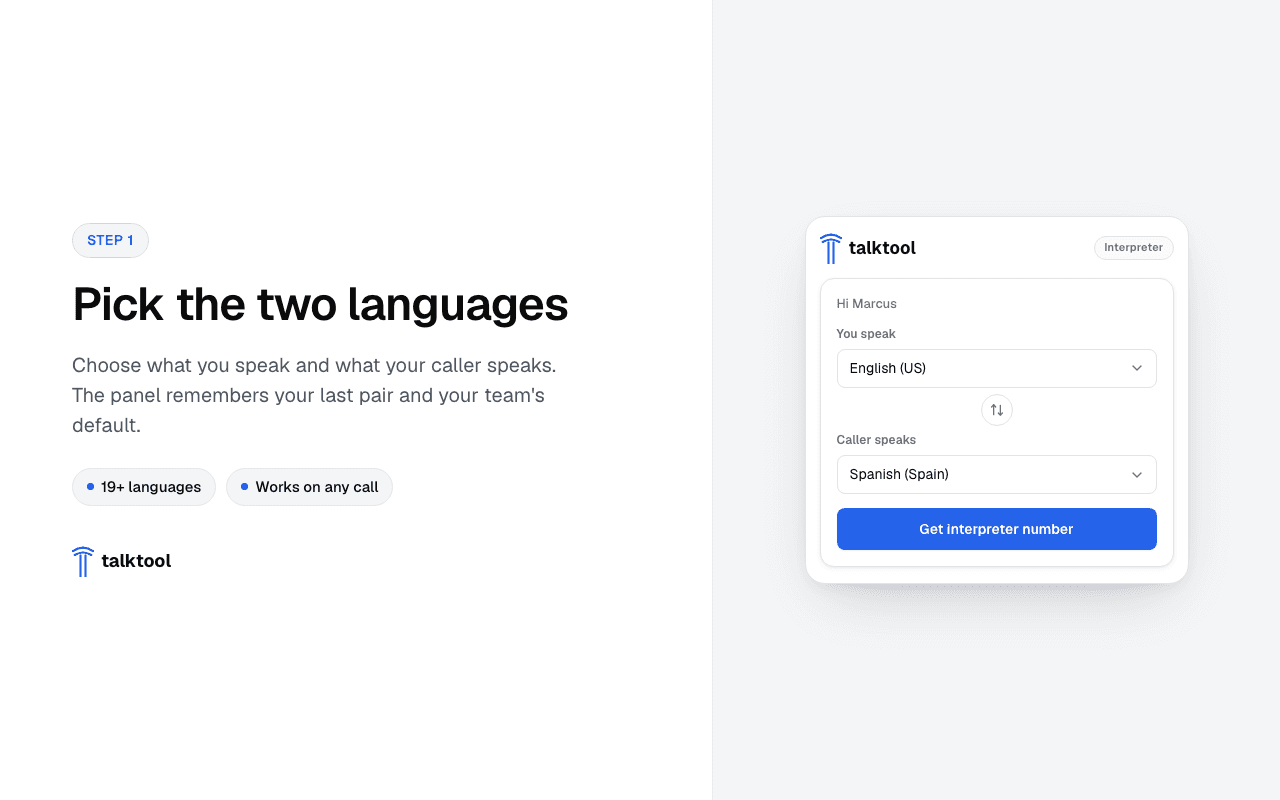
Pick your two languages
Open the TalkTool side panel in Chrome next to your 8x8 Work app — it signs you in with your existing TalkTool web session — and choose the language you speak and the language your caller speaks.
- Reuses your TalkTool login — no second sign-in
- Remembers your last-used language pair
- 2
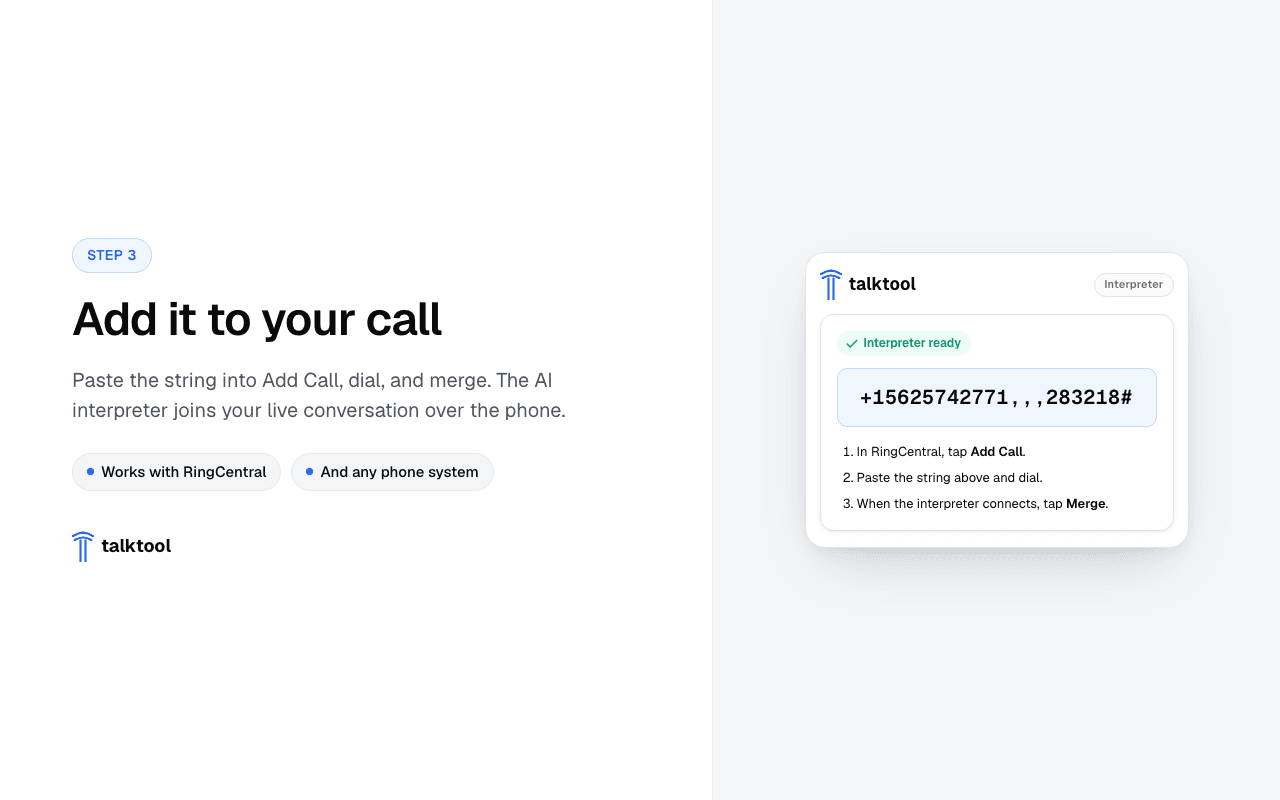
Add the TalkTool number to your 8x8 call
TalkTool hands you a phone number and a one-tap dial string. On your active 8x8 Work call, tap Add Call, dial the number, then tap Merge calls to bring the interpreter into the conversation as a third leg.
- Use 8x8 Work's own Add Call → Merge
- Works on 8x8 Work desktop and mobile
- 3
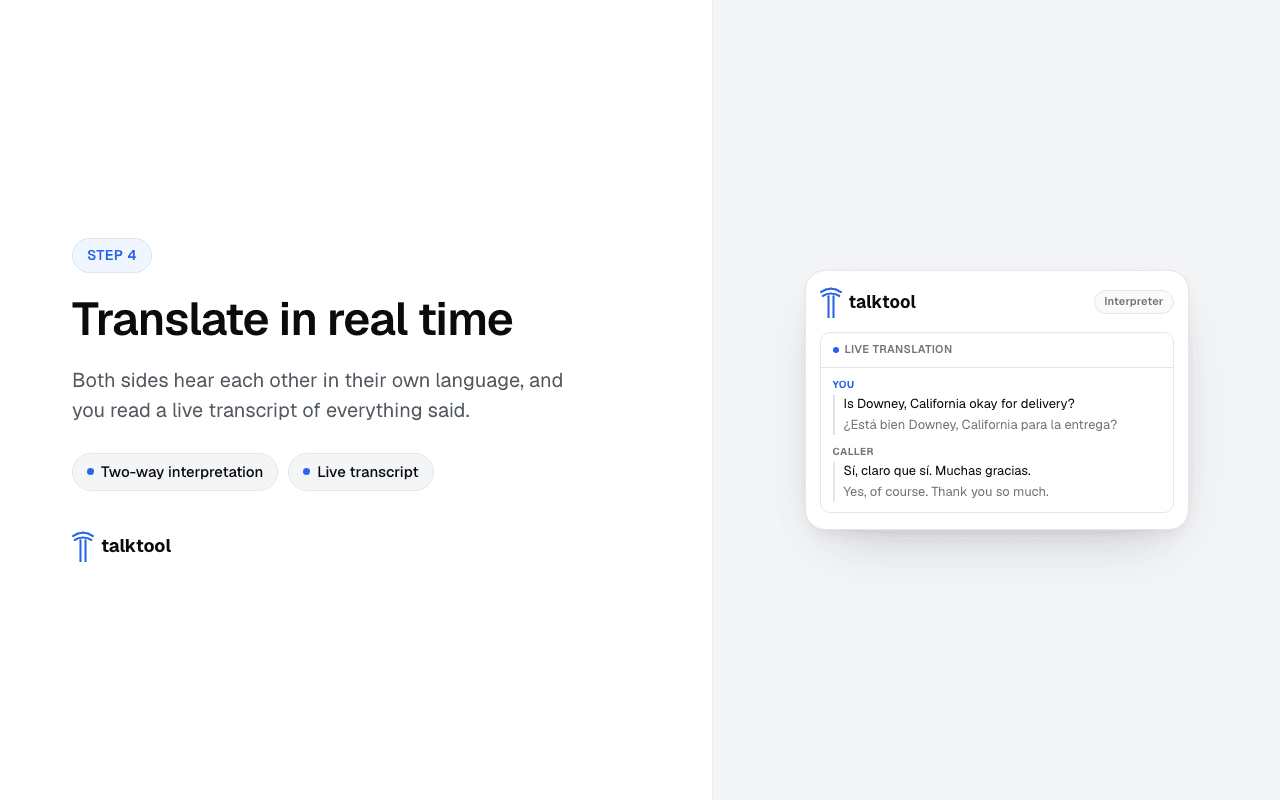
Talk — TalkTool interprets both sides
Speak naturally. TalkTool translates each side in real time — about one to two seconds — with a live transcript on screen so you can follow along and clarify anything important.
- Type-to-speak for hard-to-catch names
- Full transcript saved to your dashboard
Built on 8x8 Work's Add Call and Merge
The interpreter bridges in over the phone, so there's no 8x8 integration to enable and no admin console to touch — if you can add a line to a call, you can add an interpreter.
On an active 8x8 Work call, open the TalkTool side panel and pick your two languages. TalkTool gives you a phone number and a one-tap dial string. Use 8x8's Add Call to dial that number, then Merge calls to bring the interpreter in as a third participant. From that moment, you hear your language and your caller hears theirs — in real time, about one to two seconds per turn.
Works across the 8x8 Work apps you already have
It works the same on the 8x8 Work desktop app, the web app, and mobile — anything with Add Call and Merge. Sign in once with your TalkTool account and the panel reuses your existing web session, so it's ready the moment you open it. Because the interpreter is a phone bridge, there's nothing to install on your phone system and nothing for the other party to download.
TalkTool is an independent product and is not affiliated with, or endorsed by, 8x8.
8x8 Interpreter FAQ
Stop paying the silent tax on missed calls.
Pick two languages, add the TalkTool number with Add Call and Merge, and talk. Free to install, usage billed by the minute.
14-day free trial · No credit card · Cancel anytime
Keep exploring
More on live AI interpreting with TalkTool