How-To Guide

How to Manage Customer Language Preferences

Build and maintain a customer allowlist that remembers language preferences for personalized, frictionless support on every call.

Build Your Customer Language Database

  1. 1

    Access Your Customer Allowlist

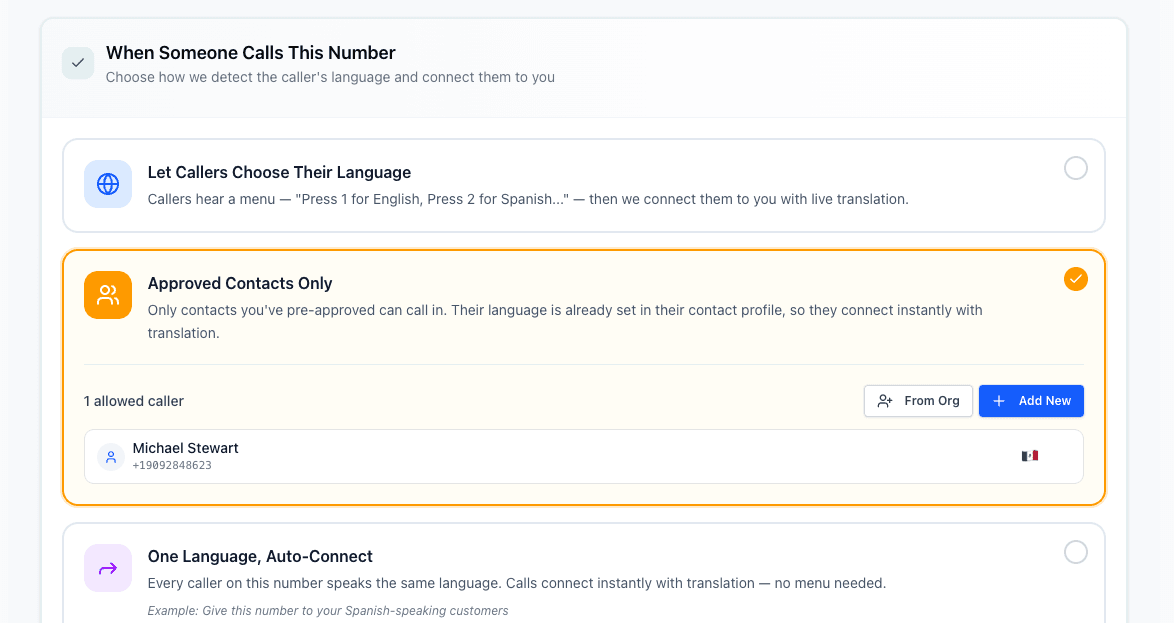
    Navigate to your talktool dashboard and select 'Customer Allowlist' from the menu. This is where you'll manage all your customer contacts and their language preferences.

    • The allowlist is tied to your translator number
    • You can have different allowlists for different numbers
    • All data is encrypted and secure
    Customer allowlist dashboard
  2. 2

    Add Individual Customers

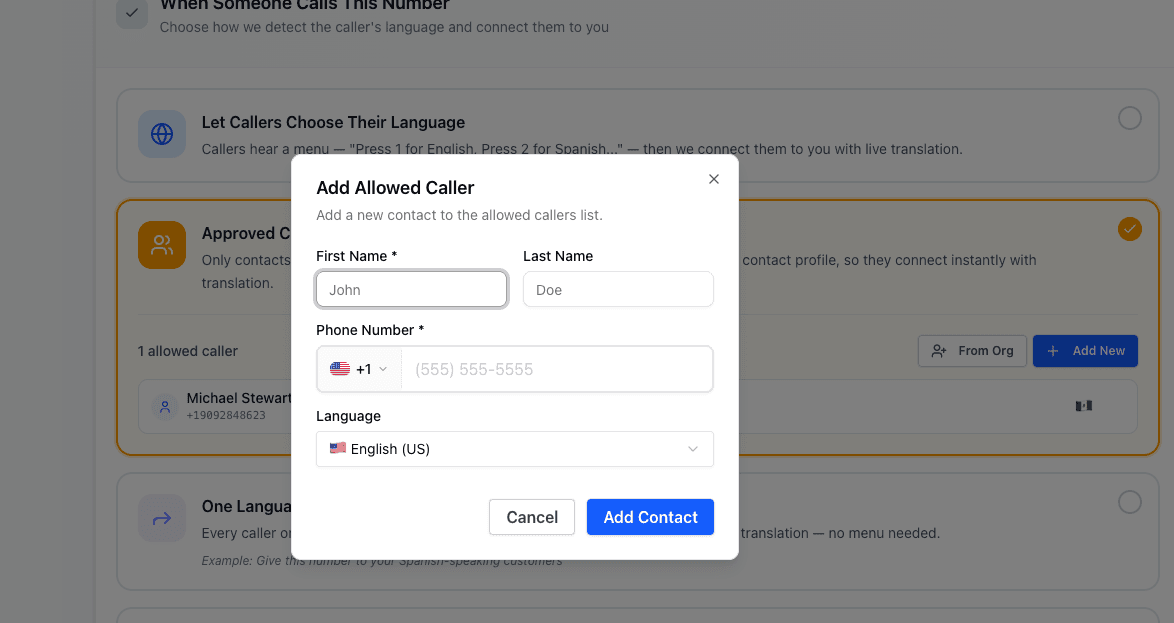
    Click 'Add Customer' and enter their phone number and preferred language. You can also add notes like their name or account number for easy reference.

    • Include country code for international numbers
    • Use E.164 format (+1555123456) for best results
    • Add notes to help identify customers
    Adding a customer form
  3. 3

    Update Language Preferences

    Customer preferences can change. Search for any customer by phone number and update their language preference. Changes take effect immediately.

    • Update when a customer requests a different language
    • Search by phone number or name (if added)
    • Changes apply to their next call
  4. 4

    Remove Outdated Contacts

    Keep your allowlist clean by removing contacts that are no longer customers. You can remove individually or bulk delete old entries.

    • Export a backup before bulk deletions
    • Removed contacts will go through normal IVR routing
    • You can always re-add contacts later

Allowlist Features

Everything you need to manage customer language preferences

Easy Customer Addition

Add customers one-by-one with phone number and language preference.

45+ Languages

Support all major world languages in your customer preferences.

Quick Search

Find any customer instantly by phone number or saved name.

Real-Time Updates

Changes to preferences take effect immediately on their next call.

Secure Storage

All customer data is encrypted at rest and in transit.

Frequently Asked Questions

Start building your customer allowlist today

Get your translator number and add your first customers in minutes.

14-day free trial - Cancel anytime