Enable Call Routing
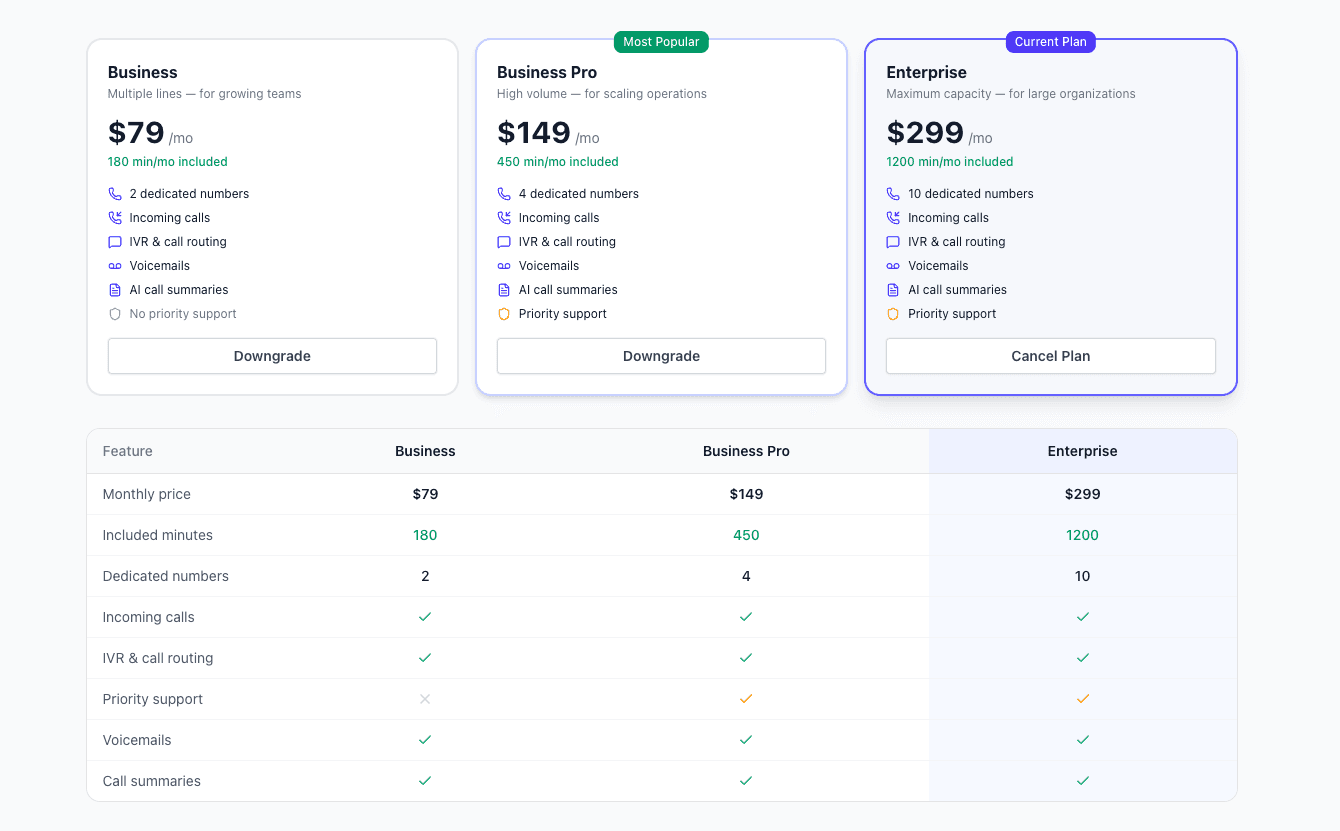
Call routing requires the routing add-on ($40/month). This enables automatic language detection and translation for incoming calls.
- Add from your dashboard
- Cancel anytime
- Includes unlimited routing setup
Learn how to handle customer service calls in Spanish (US & MX) with AI-powered real-time translation. No language barriers, just seamless communication.
Learn how to handle customer service calls in Spanish (US & MX) with AI-powered real-time translation. No language barriers, just seamless communication. TalkTool gives you a phone number you can share with Spanish (US & MX)-speaking customers. Calls are translated live in both directions and forwarded to your existing business line — your team speaks English, the caller hears Spanish (US & MX), and you get a bilingual transcript of every call.
Your customer service team can handle Spanish (US & MX) calls today without speaking a word of Spanish (US & MX). AI translation makes it possible to serve every customer in their preferred language without the cost and complexity of building a multilingual team.
When a Spanish (US & MX)-speaking customer calls, your agent speaks normally in English. The customer hears Spanish (US & MX). Live transcripts help verify understanding, and your existing escalation paths stay the same. It's your current team, with new language superpowers.
Track Spanish (US & MX) call metrics alongside your English calls. Review transcripts for QA. Compare resolution rates and monitor customer satisfaction. AI translation doesn't just solve the language problem—it gives you visibility into a market segment you couldn't serve before.
Call routing requires the routing add-on ($40/month). This enables automatic language detection and translation for incoming calls.
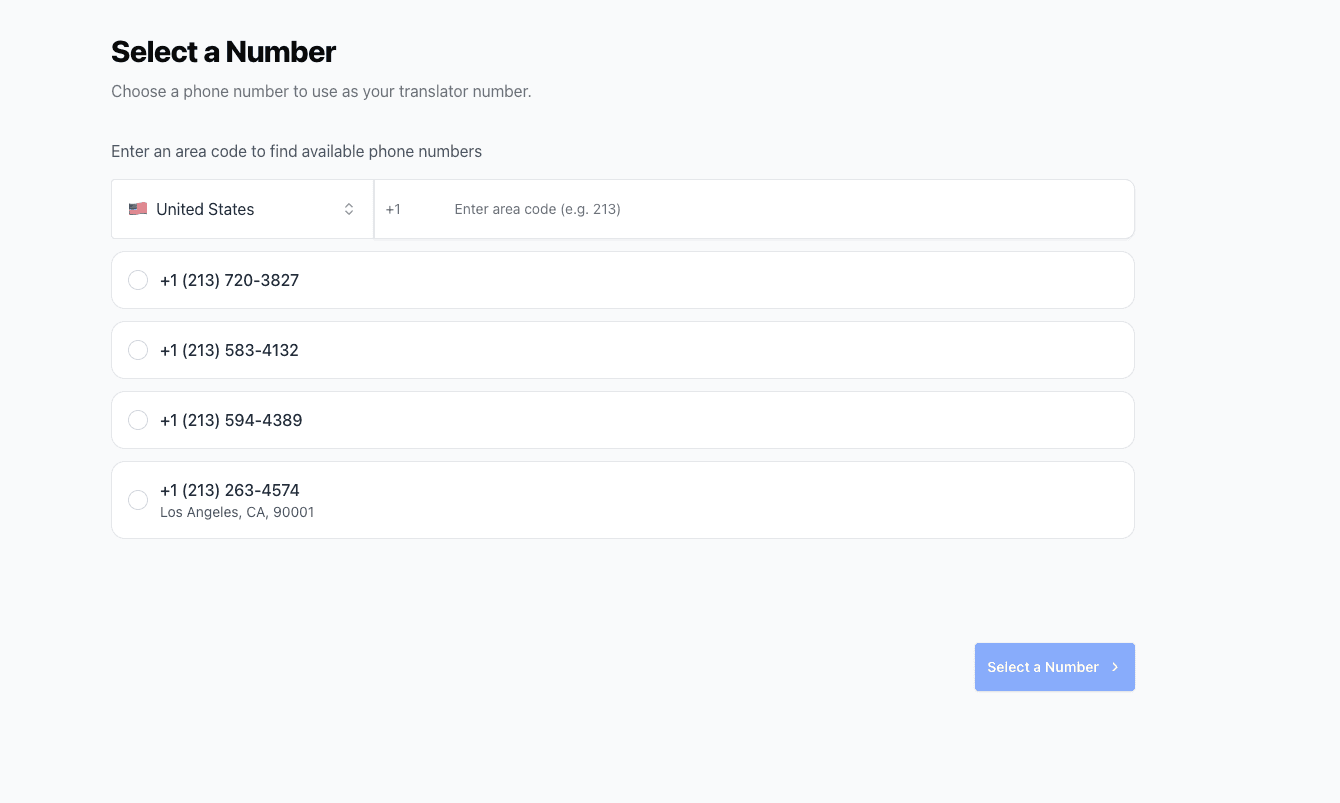
Purchase or select a translator number. This is the number that will receive and translate incoming calls before forwarding to your team.
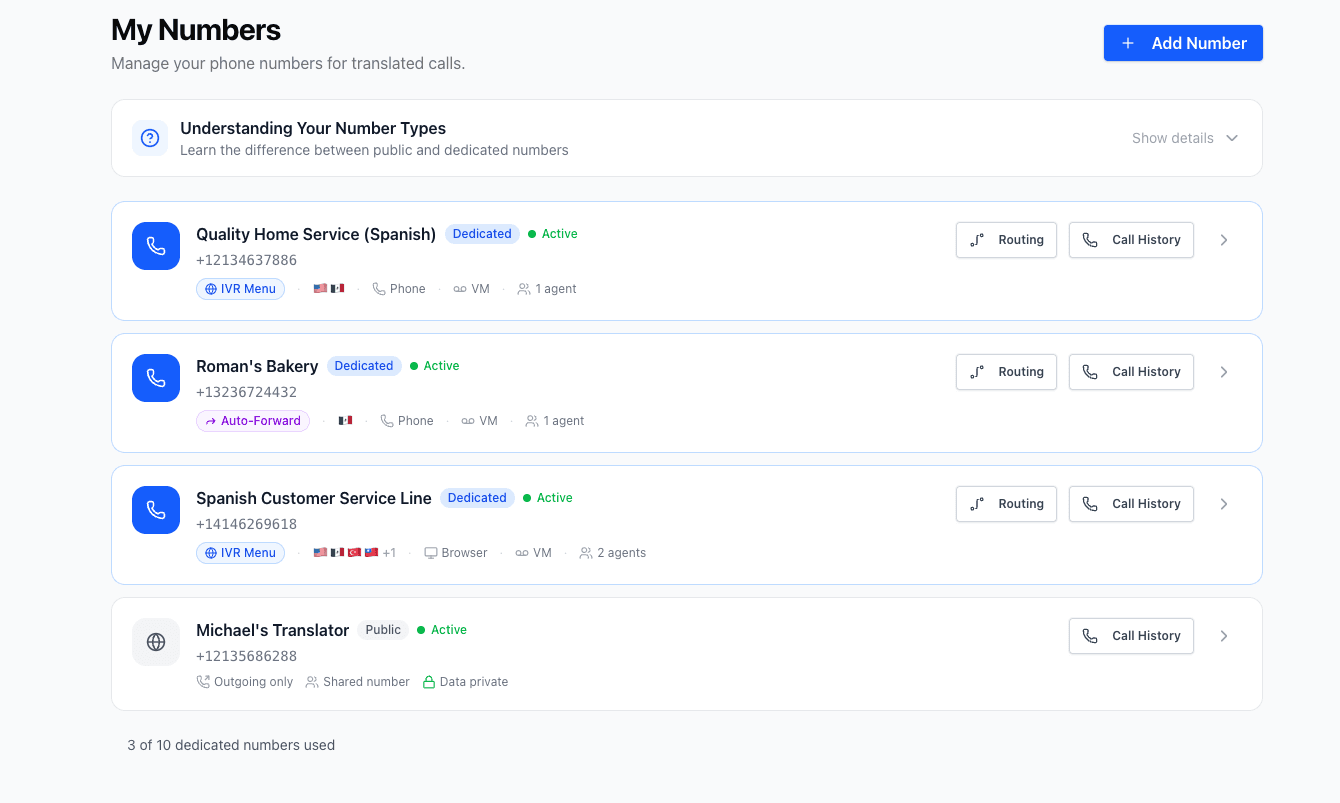
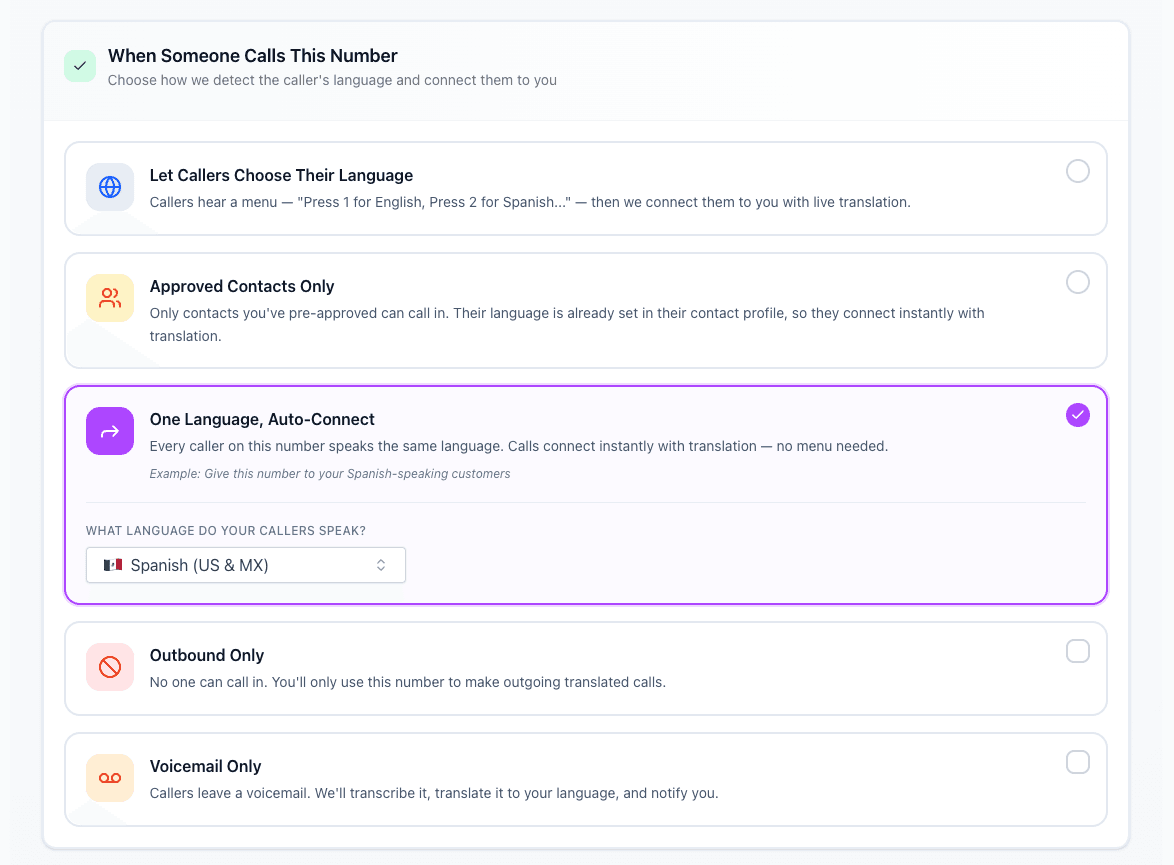
Navigate to the Numbers section in your dashboard and select Routing. Choose how Spanish (US & MX) calls should be handled: IVR (caller selects language), allowlist (known callers preset), preset language (all calls in Spanish (US & MX)), or block (reject calls).
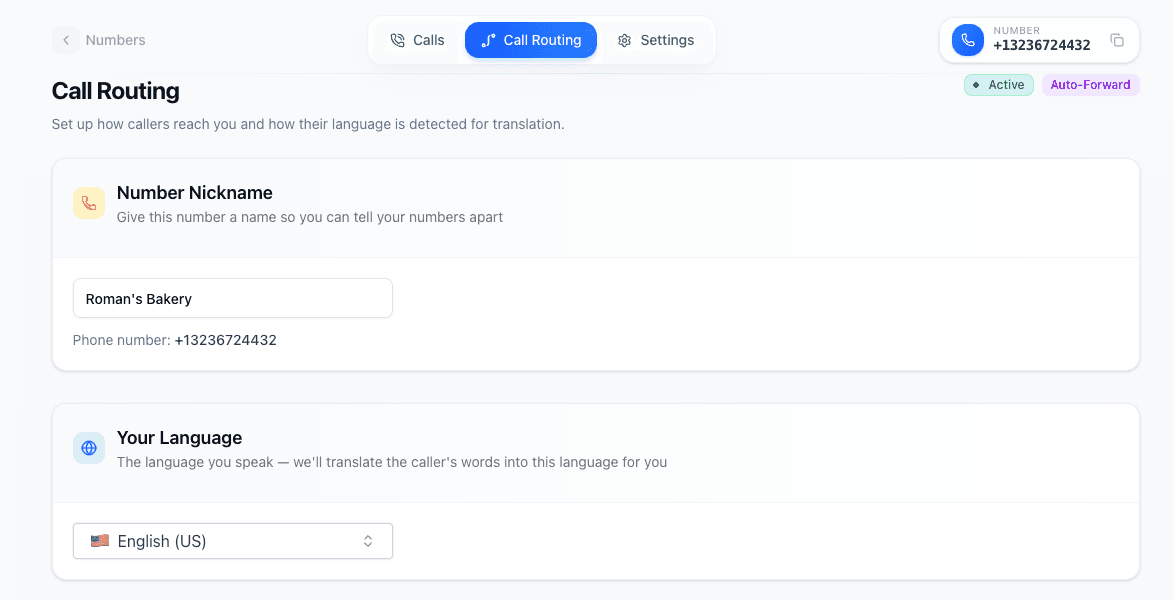
Choose your team's primary language (English). This is the language your team speaks, not the customer's language. The AI will translate incoming Spanish (US & MX) to English for your team.
Enter your main business number as the forward destination. After translation, calls will be sent to this number for your team to answer.

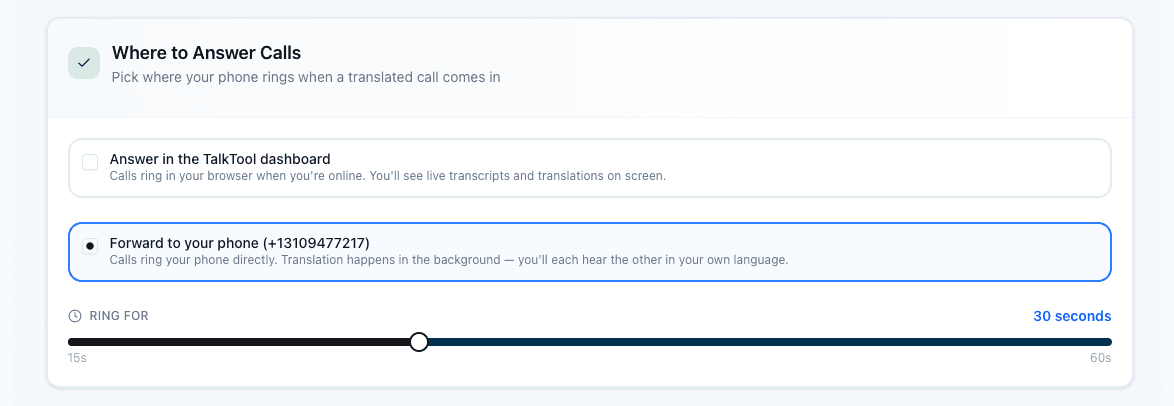
Choose how translated calls reach your team. Ring in the browser, forward to a phone number, or both. Set custom ring duration and fallback behavior.
Choose how translated calls reach your team. Ring in the browser or forward to a phone number. Set custom ring duration and fallback behavior.
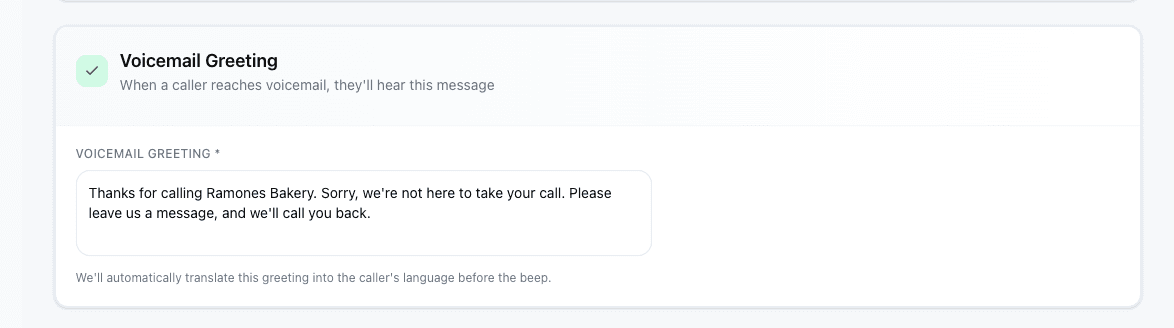
Customize the voicemail message callers hear when no one answers. TalkTool automatically translates your greeting into the caller's language.
Save your configuration and your number is ready. Spanish (US & MX)-speaking customers can now call and be automatically translated to your team.
Everything you need for seamless multilingual communication
Your existing team handles all calls with AI translation.
Customers rate support higher when served in their language.
No waiting for bilingual agents or interpreters to be available.
Same quality service regardless of customer's language.
Track all calls with full transcripts in both languages.
Handle growing multilingual demand without hiring.
Businesses and individuals across industries rely on real-time Spanish (US & MX) translation for critical communications.
Handle support calls from customers who speak different languages without hiring multilingual staff.
Communicate with patients about appointments, symptoms, and follow-up care in their native language.
Conduct client consultations and gather information accurately across language barriers.
Close deals and maintain relationships with international clients and partners.
Stay connected with family members who speak different languages or dialects.
Communicate with parents and students from diverse linguistic backgrounds.
Explore all the ways TalkTool helps you communicate with Spanish (US & MX) speakers
Get started in minutes and break down language barriers today.
14-day free trial · No credit card · Cancel anytime