🇨🇳 Customer Support

Chinese (Simplified) Customer Support Calls

Provide excellent customer support to Chinese (Simplified)-speaking customers without hiring bilingual staff. Your existing team handles Chinese (Simplified) calls with real-time AI translation.

Why Chinese (Simplified) Customer Support Matters

Chinese (Simplified)-speaking customers deserve excellent support, but hiring bilingual agents is expensive and finding qualified candidates is difficult. Many companies struggle to provide quality service to their Chinese (Simplified)-speaking customer base.

Studies show that customers prefer support in their native language—they're more likely to resolve issues successfully, have higher satisfaction scores, and remain loyal customers. Language barriers lead to frustration, miscommunication, and churn.

With AI-powered real-time translation, your existing support team can handle Chinese (Simplified) calls without learning the language. They speak English, the customer hears Chinese (Simplified). It's that simple. No additional hiring required, and you can deploy the same day.

How to Set Up Chinese (Simplified) Call Routing

  1. 1

    Enable Call Routing

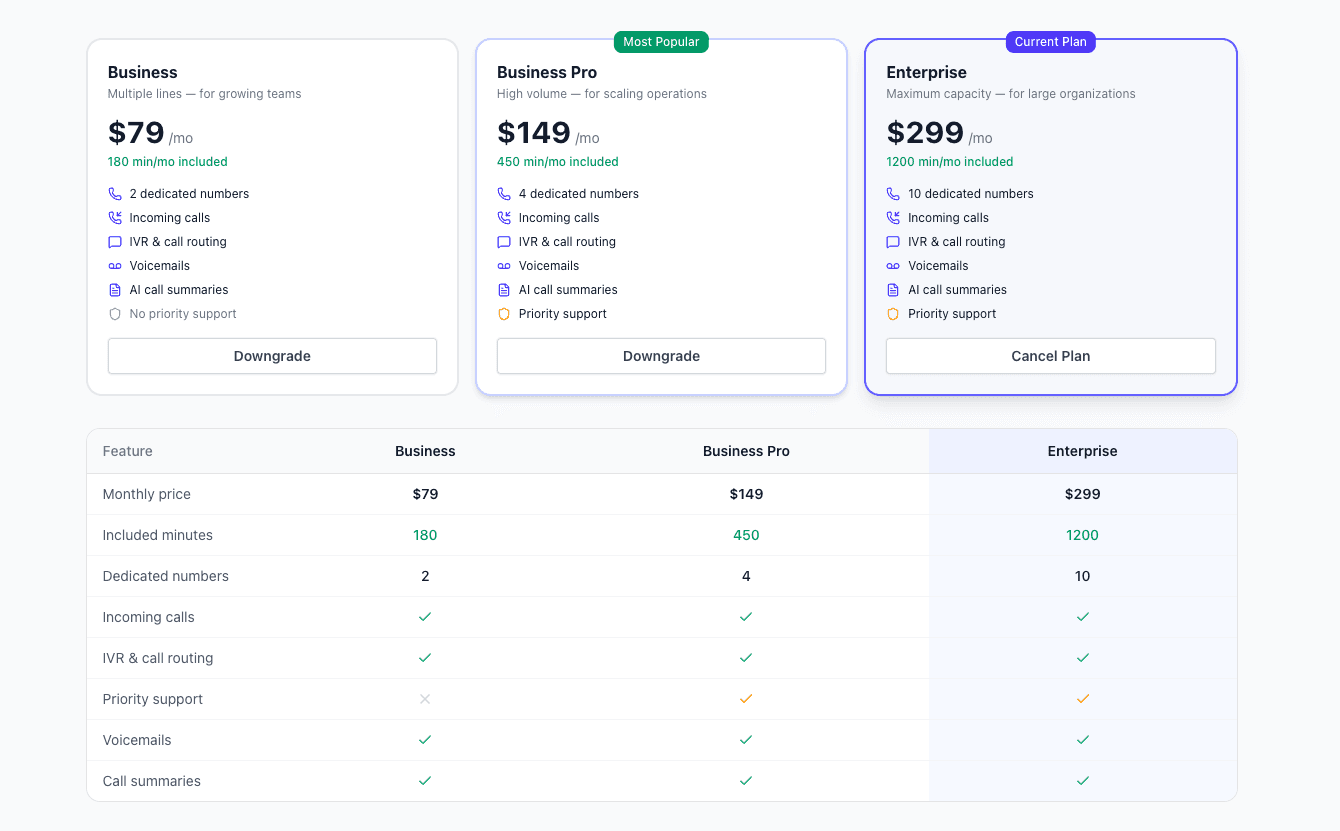
    Call routing requires the routing add-on ($40/month). This enables automatic language detection and translation for incoming calls.

    • Add from your dashboard
    • Cancel anytime
    • Includes unlimited routing setup
    Enable routing
  2. 2

    Get a Translator Number

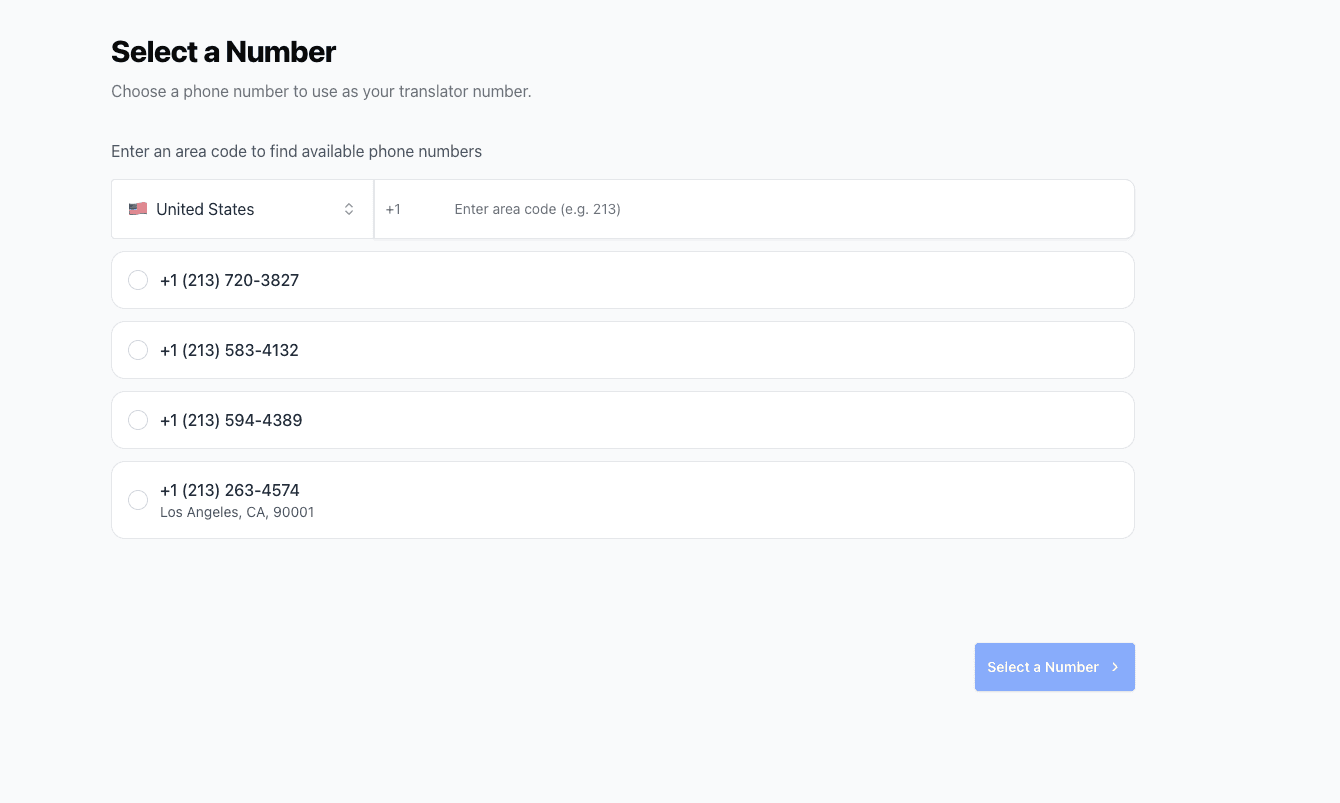
    Purchase or select a translator number. This is the number that will receive and translate incoming calls before forwarding to your team.

    • Dedicated translation number
    • Choose your area code
    • Use existing number if available
    Translator number
  3. 3

    Set Up Routing

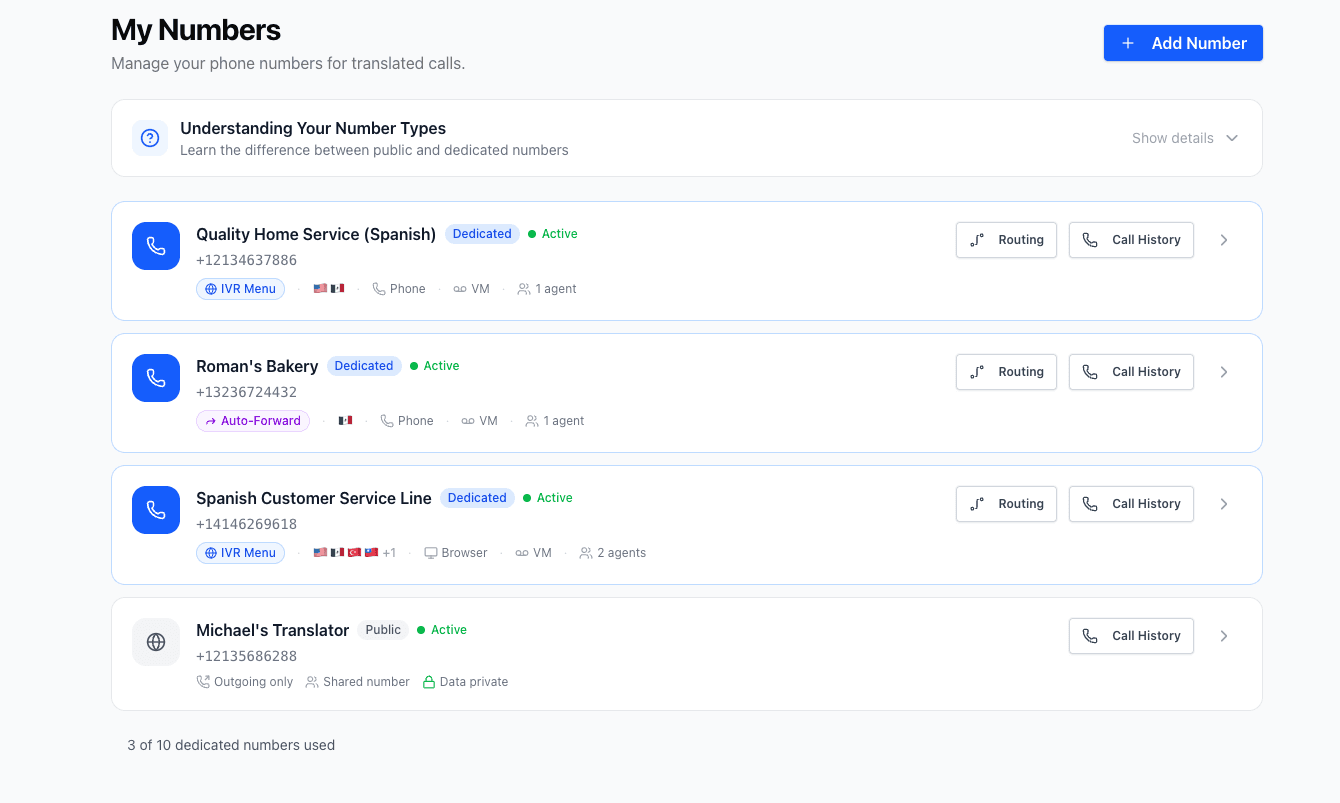
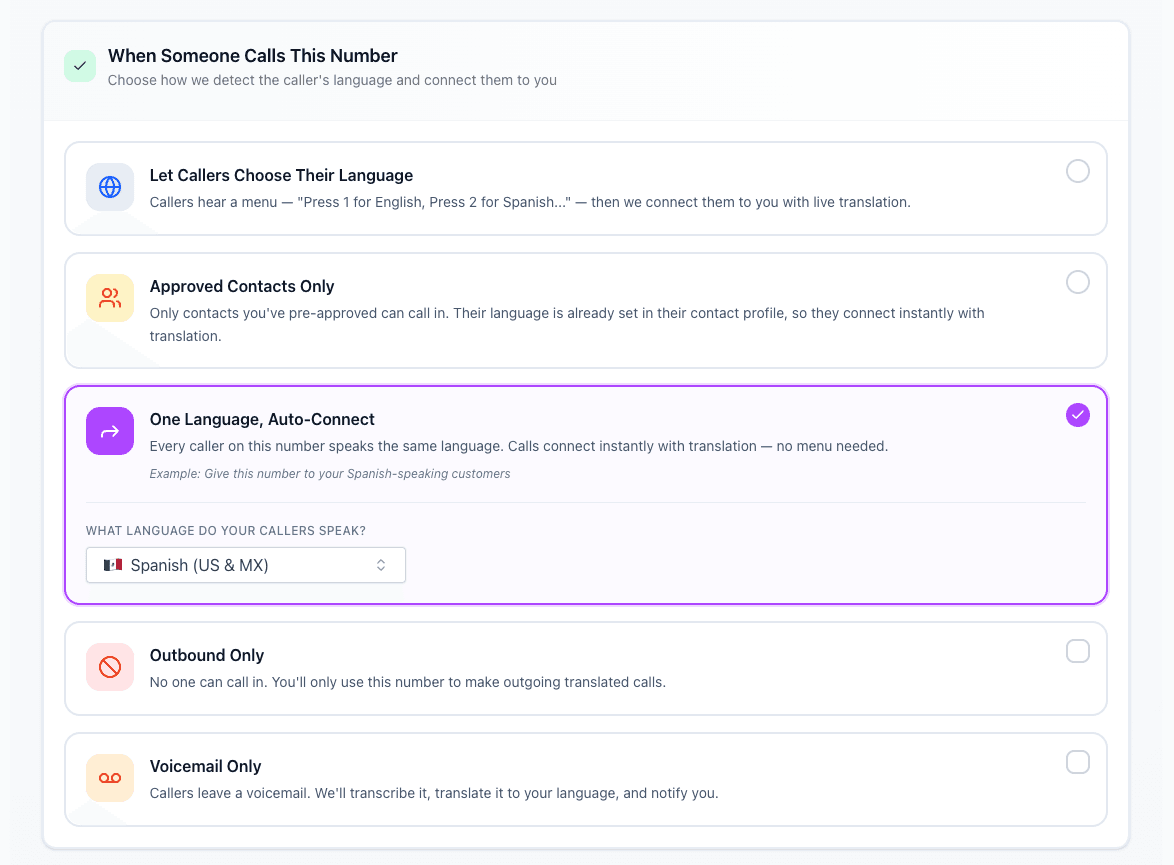
    Navigate to the Numbers section in your dashboard and select Routing. Choose how Chinese (Simplified) calls should be handled: IVR (caller selects language), allowlist (known callers preset), preset language (all calls in Chinese (Simplified)), or block (reject calls).

    • IVR: Caller chooses their language
    • Allowlist: Preset for known numbers
    • Preset: Assume one language for all
    • Block: Reject unwanted calls
    Routing options
  4. 4

    Select Your Primary Language

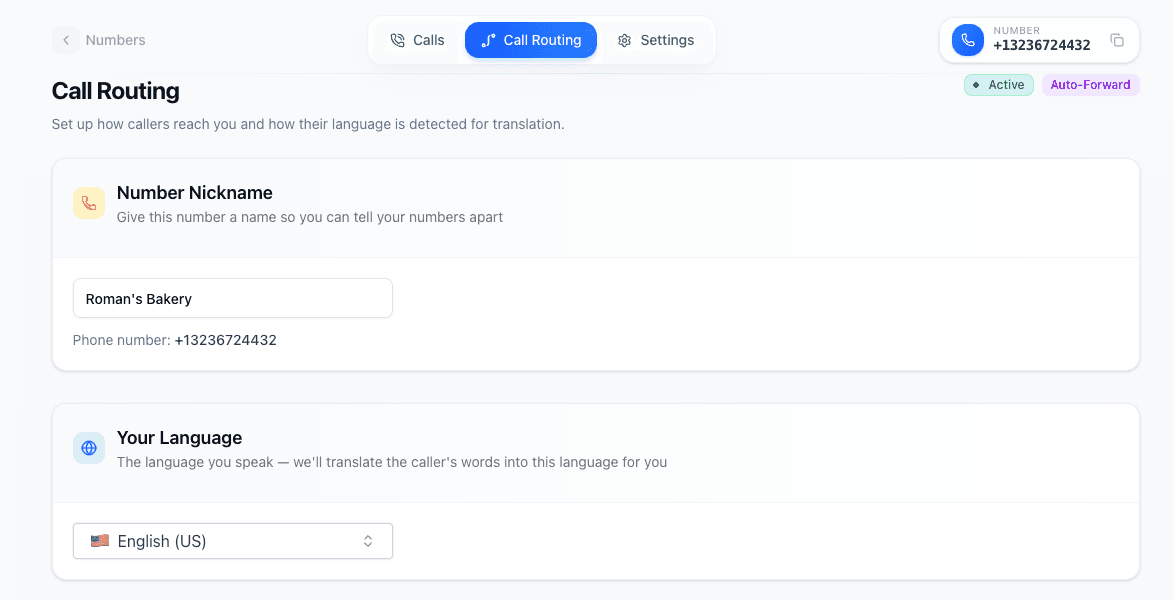
    Choose your team's primary language (English). This is the language your team speaks, not the customer's language. The AI will translate incoming Chinese (Simplified) to English for your team.

    • Your team's spoken language
    • Usually English for US teams
    • Can be changed per number
    Primary language
  5. 5

    Set Your Forwarding Number

    Enter your main business number as the forward destination. After translation, calls will be sent to this number for your team to answer.

    • Your existing business line
    • Mobile or landline works
    • Forward to any phone number
    Forwarding number setup
  6. 6

    Configure Forwarding Options

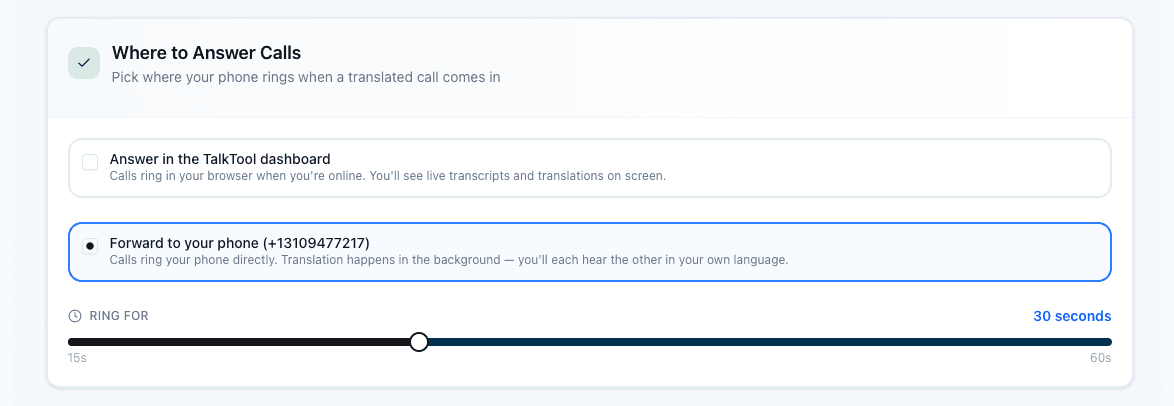
    Choose how translated calls reach your team. Ring in the browser, forward to a phone number, or both. Set custom ring duration and fallback behavior.

    • Ring in browser or on your phone
    • Set custom ring duration
    • Configure fallback if no answer
    Forwarding options
  7. 7

    Select Where Translated Calls Ring

    Choose how translated calls reach your team. Ring in the browser or forward to a phone number. Set custom ring duration and fallback behavior.

    • Ring in browser or on your phone
    • Set custom ring duration
    • Configure fallback if no answer
    Ringing options
  8. 8

    Set Up Your Voicemail Greeting

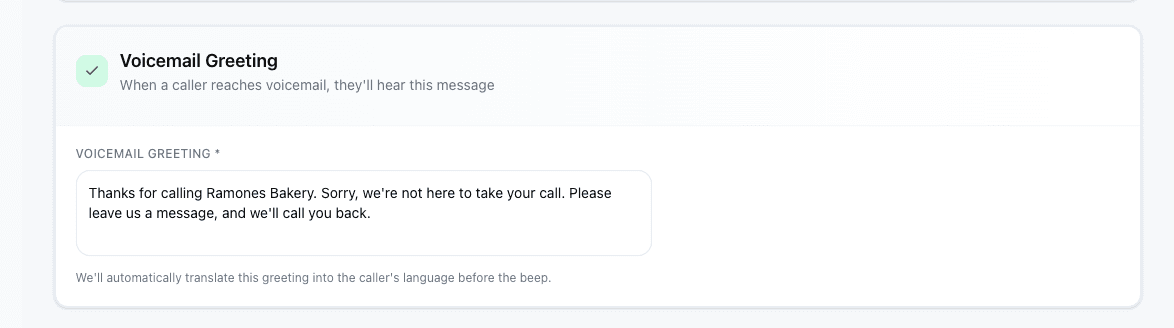
    Customize the voicemail message callers hear when no one answers. TalkTool automatically translates your greeting into the caller's language.

    • Auto-translated into caller's language
    • Callers can leave a message after the beep
    • Voicemails are transcribed and translated for you
    Voicemail greeting setup
  9. 9

    Save and Start Accepting Calls

    Save your configuration and your number is ready. Chinese (Simplified)-speaking customers can now call and be automatically translated to your team.

    • Changes apply immediately
    • Test with a sample call
    • Monitor calls in dashboard

Chinese (Simplified) Translation Features

Everything you need for seamless multilingual communication

Your Team, Any Language

Your existing team handles all calls with AI translation.

Better CSAT

Customers rate support higher when served in their language.

Zero Wait Time

No waiting for bilingual agents or interpreters to be available.

Consistent Service

Same quality service regardless of customer's language.

Call Analytics

Track all calls with full transcripts in both languages.

Scale Effortlessly

Handle growing multilingual demand without hiring.

Who Uses Chinese (Simplified) Translation?

Businesses and individuals across industries rely on real-time Chinese (Simplified) translation for critical communications.

Customer Service

Handle support calls from customers who speak different languages without hiring multilingual staff.

Healthcare

Communicate with patients about appointments, symptoms, and follow-up care in their native language.

Legal Services

Conduct client consultations and gather information accurately across language barriers.

Business & Sales

Close deals and maintain relationships with international clients and partners.

Family & Personal

Stay connected with family members who speak different languages or dialects.

Education

Communicate with parents and students from diverse linguistic backgrounds.

Frequently Asked Questions

Ready to communicate in Chinese (Simplified)?

Get started in minutes and break down language barriers today.

14-day free trial - Cancel anytime